The Ammo Scout platform is designed to keep you informed when a high-demand product becomes available or unavailable.
This guide covers the following topics:
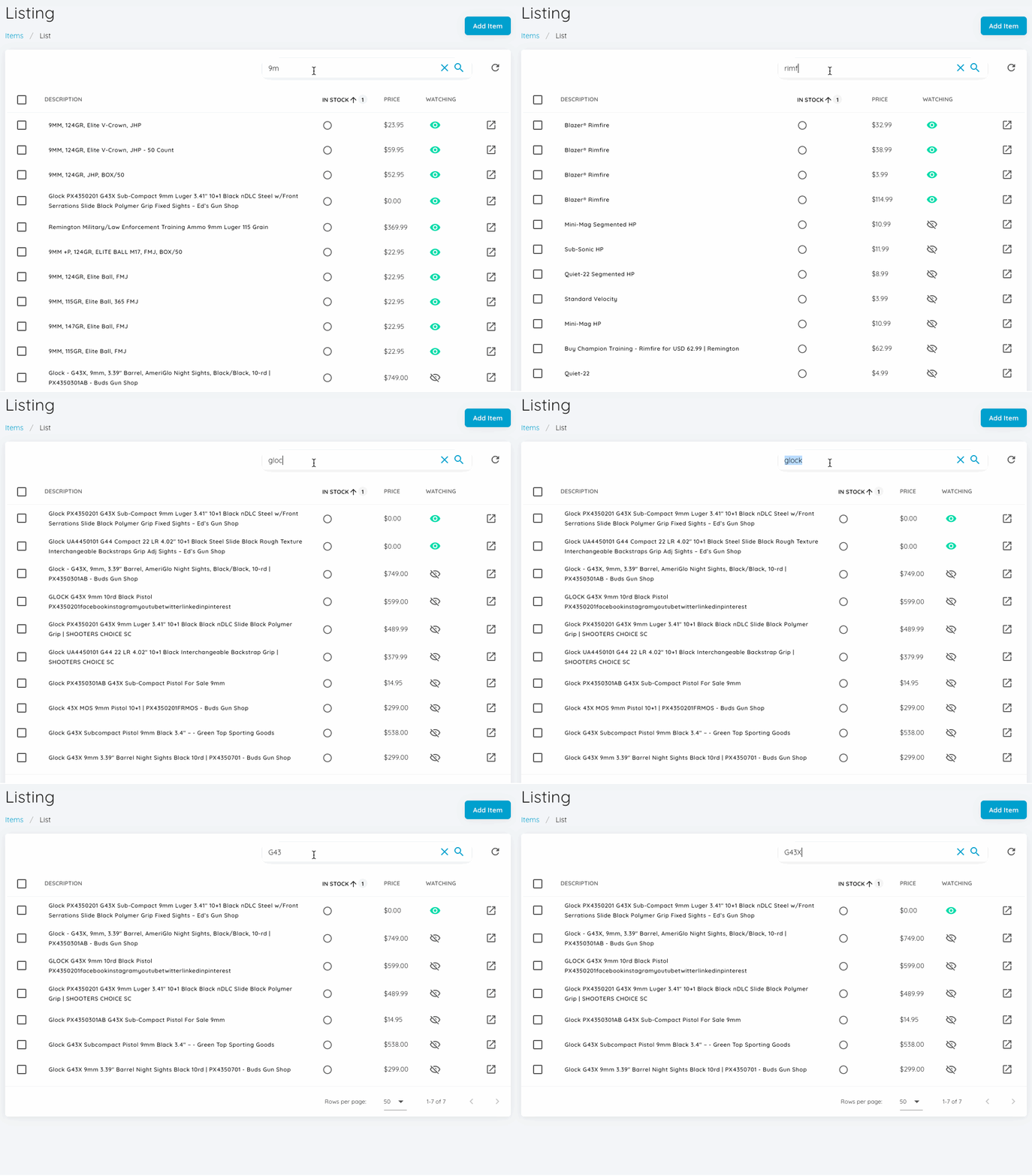
- How to Search Ammo Scout's Tracked Items
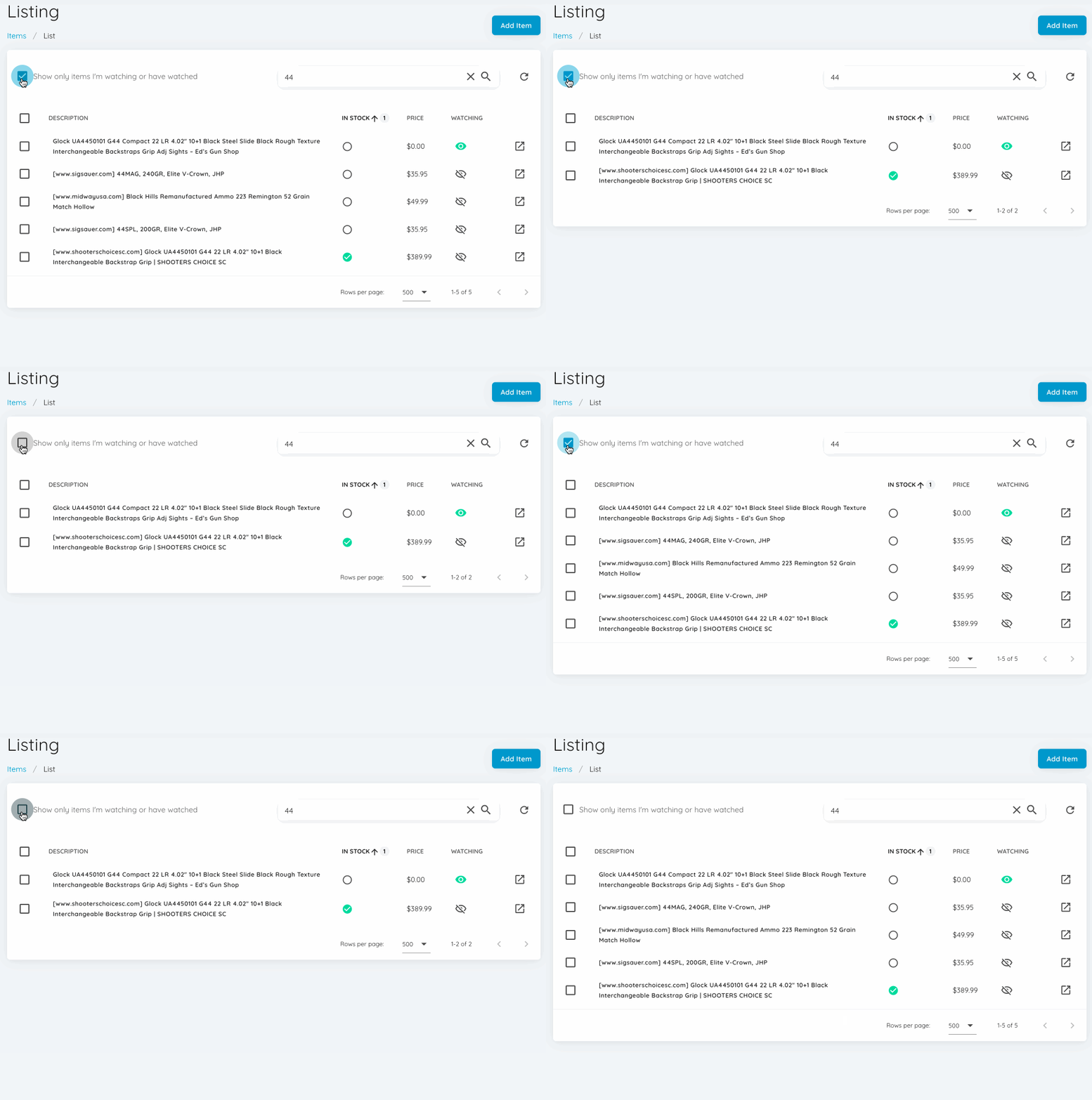
- Show Only Items You Watch or Have Watched
- How to Add a New Item
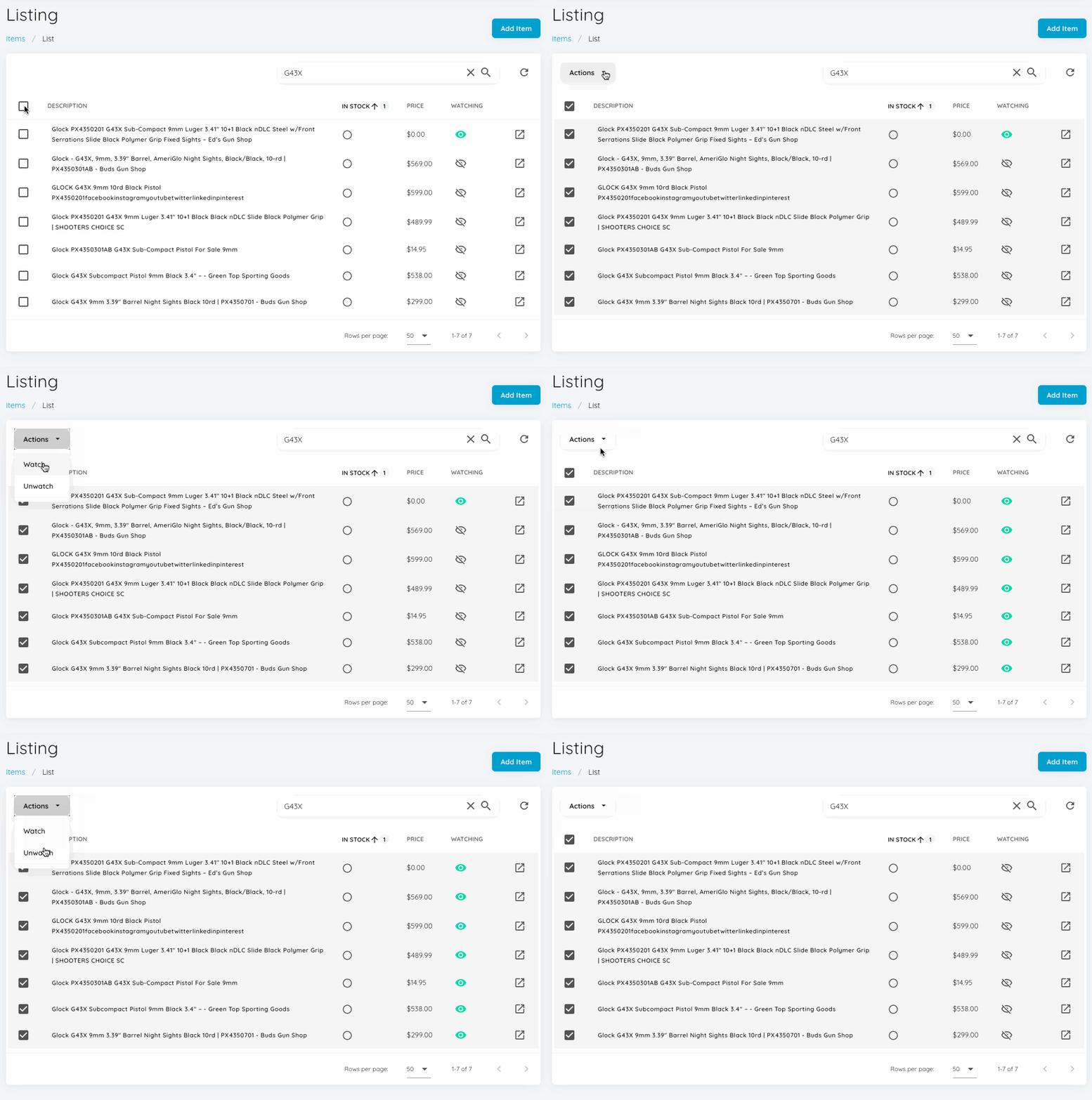
- How to Watch an Item
- How to Unwatch an Item
- How to Watch or Unwatch Items in Bulk
How to Search Ammo Scout's Tracked Items
1. Navigate to the Ammo Scout Product Listing page via the following link https://ammoscout.app/items/list
2. By default, Ammo Scout will list out all items being tracked by the platform.
3. Type a search term into the search bar at the top of the item table.
Show Only Items You Watch or Have Watched
1. Navigate to the Ammo Scout Product Listing page via the following link https://ammoscout.app/items/list
2. By default, Ammo Scout will list out all items being tracked by the platform.
3. Check the box View Show only items I'm watching or have watched
How to Add a New Item
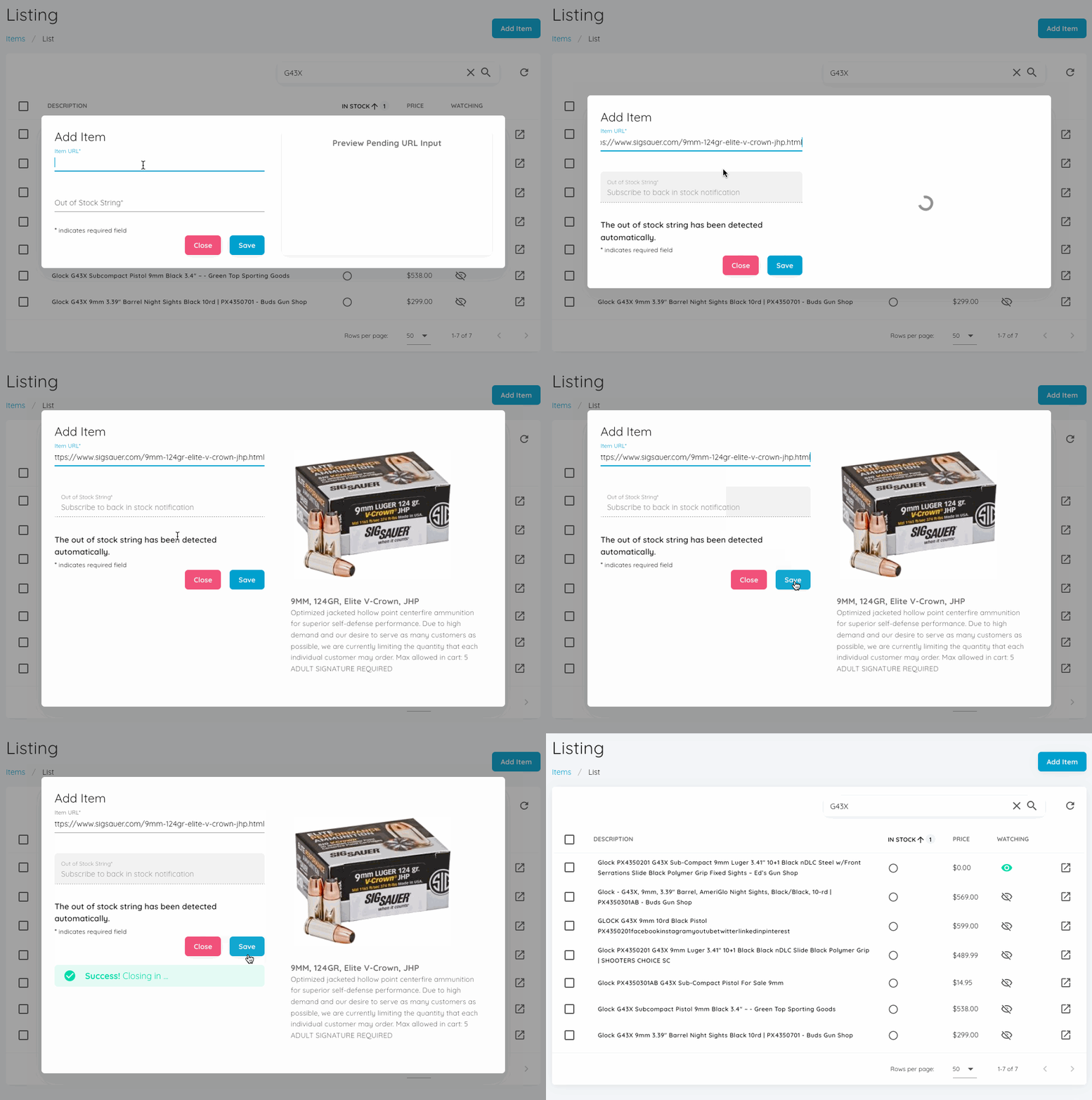
1. Click the Add button at the top of the Ammo Scout Product Listing page at https://ammoscout.app/items/list
2. Enter the URL of the item you want to watch.
3. If the Out of Stock String is not automatically filled, enter the out of stock string used on the product detail page. This is the string of text the page shows when an item is not in stock.
For example, Subscribe to back in stock notification is the phrase used by https://www.sigsauer.com/9mm-115gr-elite-ball-fmj.html
4. A preview may generate.
5. Click Save
How to Watch an Item
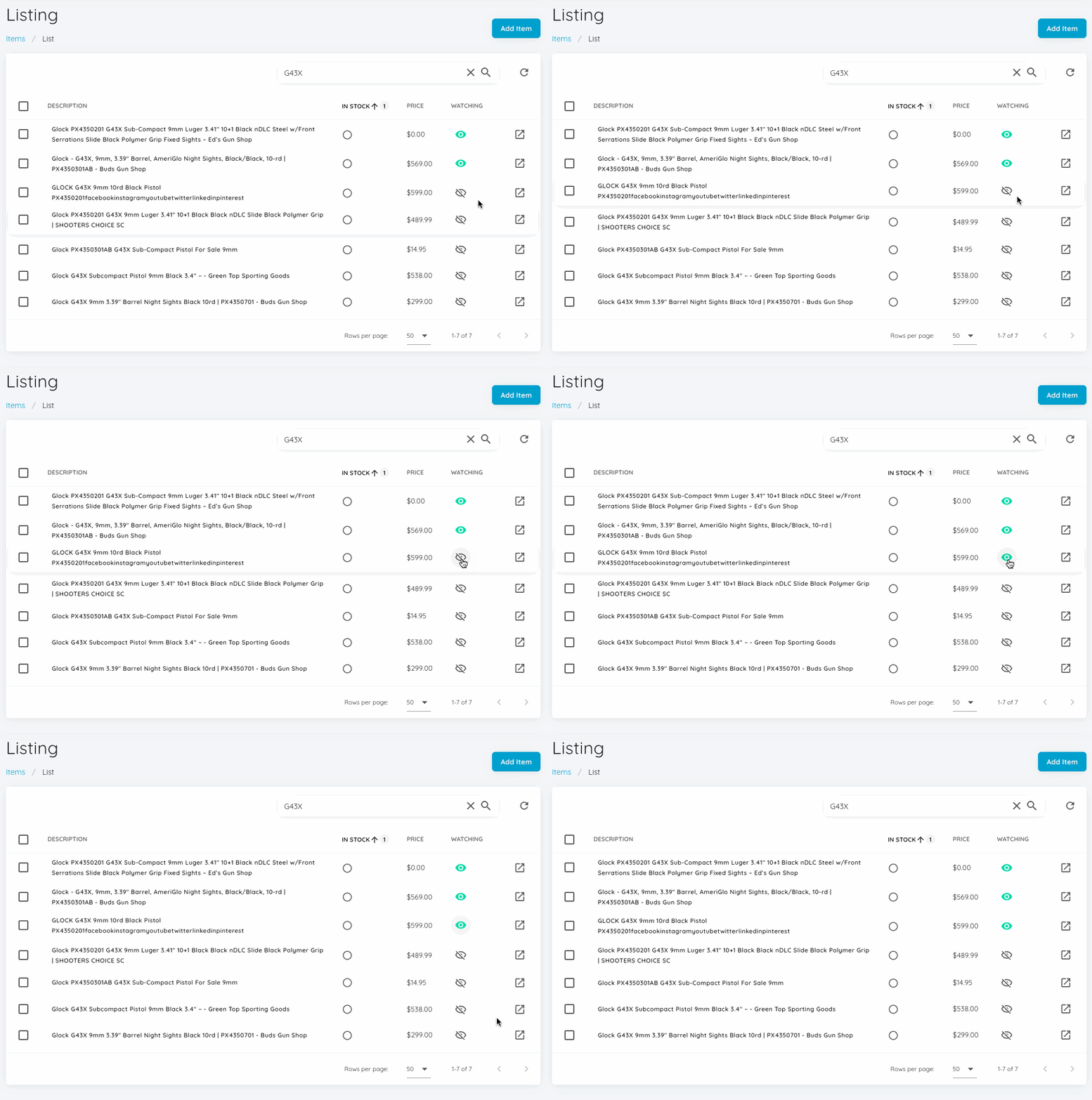
To watch an existing item, simply click the eye icon in the watching column of the Product Listing page. The item will turn from gray to green.
How to Unatch an Item
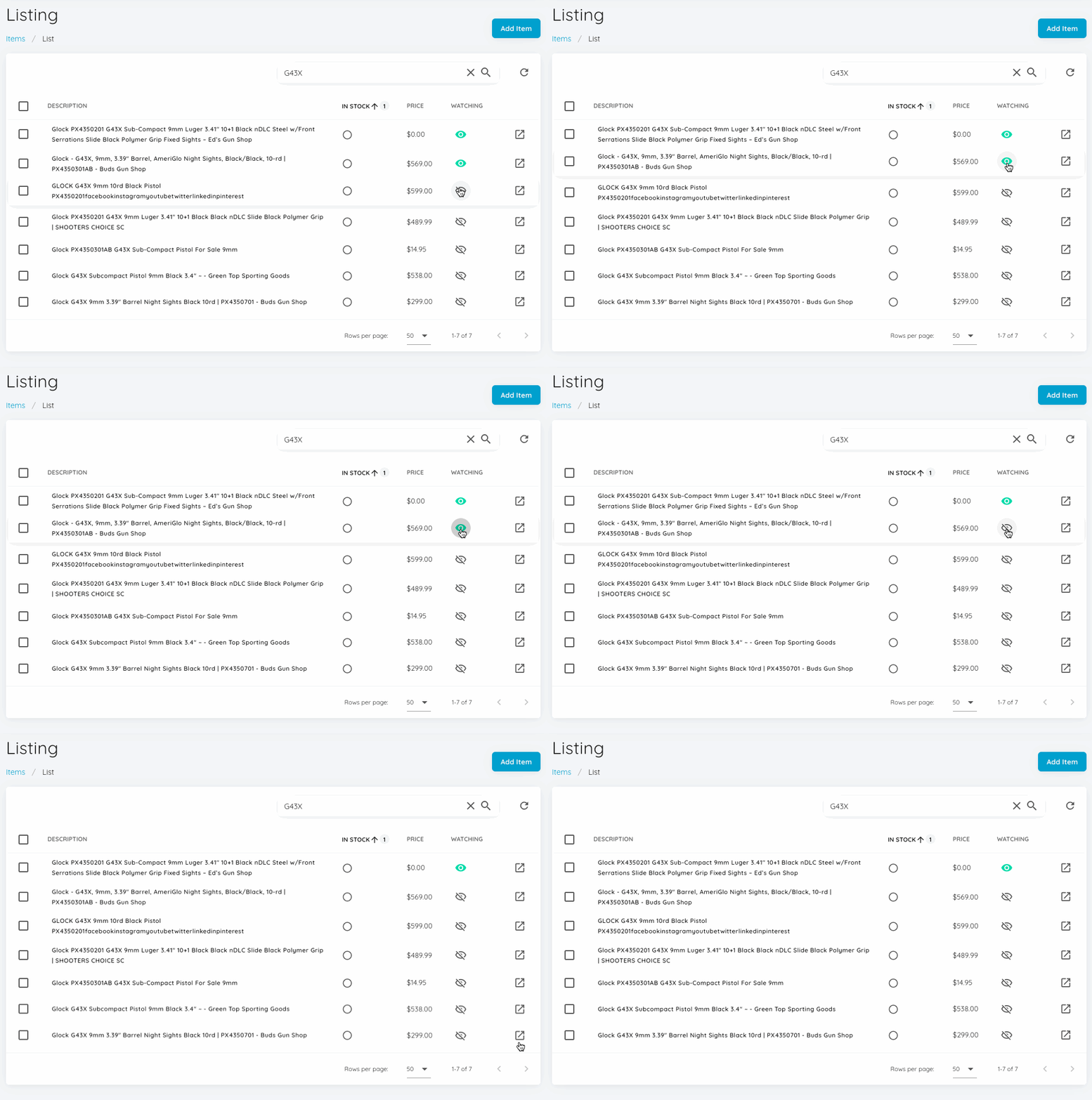
To unwatch an existing item, simply click the eye icon in the watching column of the Product Listing page. The eye will turn from green to gray.
How to Watch or Unwatch Items in Bulk
To watch or unwatch in bulk, select the checkboxes associated with the items you want to watch / unwatch. Alternatively, click the "select all" box in the column header to select all items in your current view.